Unmanned check-in
You can’t staff a desk at 2am. The door still has to open.
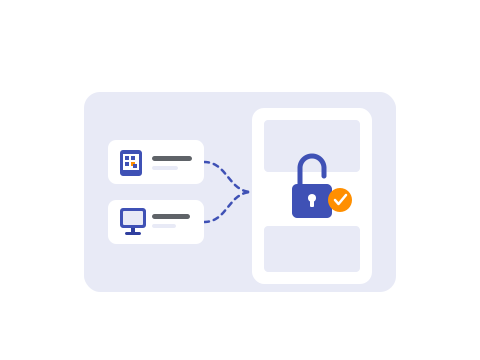
Japan’s operators hit the staffing wall first, and built unmanned operations to survive it. The same pressure is arriving everywhere else — fewer people willing to sit a night desk, more small sites that can’t justify one at all.
Kinchaku takes on what the front desk used to do. The guest lets themselves in with the phone already in their pocket — nothing to download — and access turns itself on when they book and off when they leave. The arrival logs itself.
Software absorbs the front desk: issue on booking, unlock on arrival, revoke at checkout.
A front desk you have to keep staffed at 2am, at every small site, just so a door can open.
And the guest who lands at eleven, standing at a dark counter because no one’s on shift.
The front desk’s job, done by software

Let them in
The wallet pass — or the kiosk by the door — is the key. The guest taps the phone they already carry and the door opens. No key handoff, no PINs texted around.

Check who they are
Where the rules require an ID check, the guest finishes it before arrival. The pass only works once the check clears — identity confirmed before anyone reaches the door.

Close it out
Access switches on when the guest books and off when they check out, and every arrival is logged. Nobody has to remember to cut a code or chase a key.
The arrival, minute by minute
| When | What happens | Who does it |
|---|---|---|
| On booking | Pass issued the moment the booking is confirmed | Kinchaku, automatic |
| Before arrival | Where an ID check is required, an email reminder nudges the guest to finish it | Kinchaku, automatic |
| On the way | Guest completes the ID check from the taxi | Guest |
| At the door | Guest taps the pass and the door unlocks — or checks in at the kiosk | Guest |
| At the door | Arrival logged to the pass activity trail | Kinchaku, automatic |
| At checkout | Pass expires; access is revoked | Kinchaku, automatic |
Your team touched none of it — except the one guest who forgot their phone, which is exactly what a front desk is for.
Two ways in: the door, or the kiosk
Not every venue has a smart lock, and not every entrance is a door. So there are two ways to run an unmanned arrival — use either, or both.
- The door. Connect a smart lock and the pass becomes the key: the guest taps, the lock opens, and access follows the booking. Best where the entrance is a lock — hotels, gyms, co-working floors.
- The kiosk. Put a tablet at the entrance and the guest checks themselves in — or buys on the spot — with no one behind the counter. Best where the entrance is a desk, not a door, or where no smart lock is installed.
Both run without a person on shift.
The lock, connected once
The smart-lock side runs on RemoteLOCK. You connect your RemoteLOCK account to your workspace once — a self-serve OAuth flow, about ten minutes including mapping each lock to a venue — and from then on it’s automatic:
- A code for each pass, tied to the pass — created when the pass is issued, revoked when it expires, is used up, or is cancelled.
- Time-window rules per member and per venue — a hotel code that lives only for the stay, a gym code that works any hour the membership is active.
- A code that rotates daily, so a single PIN can’t outlive its welcome.
- Every unlock on the audit trail, alongside the rest of the pass activity.
Smart-lock access is on the BOOSTER and PREMIUM plans. The deep setup — hardware, permissions, the OAuth steps — lives on the RemoteLOCK integration page; plans are on the pricing page.
Identity checks, in-house
Where regulation calls for it — overseas-guest compliance, certain Japanese use cases — the guest submits an ID and a selfie before arrival. Your staff approve it, and the pass’s scannable credential only works once it’s approved. The wrong person can’t open the door, and the guest never queues at a counter to prove who they are.
The check runs in-house — Kinchaku doesn’t hand your guests’ documents to a third-party identity vendor. The ID and the selfie stay inside your workspace.
Works for more than hotels
The same pass-is-the-key mechanism runs anywhere a guest needs to get past an entrance:
- 24-hour gyms — the membership pass unlocks the door at any hour; when the membership lapses, so does the access.
- Co-working spaces — one membership pass opens every location in the workspace.
- Event venues — the ticket pass doubles as the entry credential, at the door or the kiosk.
- Unmanned storage & lockers — a one-shot access pass for a specific locker, gone after first use.
If a guest needs to get through a door — or past a counter — Kinchaku can be the reason it opens.
Every arrival writes to the record
None of this is just a door opening. Each unlock, scan, and check-in attaches to the pass activity trail and to the guest record — so the arrival you ran without staff still becomes a guest you can recognise next time. The full record lives in Guest CRM.
And for compliance or a dispute, the trail is there: each event stamped with the time, the action, and the venue, and exportable to CSV whenever you need it.
For encryption, access control, and the rest of the posture, see our security & compliance page.
FAQ
What is unmanned check-in?
Unmanned check-in lets a guest arrive and get in with nobody on shift. Access turns on when the booking is confirmed, the guest opens the door or uses a kiosk themselves, and access is revoked at checkout. Every arrival is logged.
Do I need a smart lock?
No. There are two ways in: a smart lock, where the pass becomes the key, or a kiosk at the entrance where the guest checks themselves in. Use either, or both.
How does the identity check work?
Where the rules require one, the guest submits an ID and a selfie before arrival. Your staff approve it, and the pass’s scannable credential only works once approved. The check runs in-house — the documents stay inside your workspace.
What gets logged?
Every unlock, scan, and check-in attaches to the pass activity trail and to the guest record. Each event carries the time, the action, and the venue, and exports to CSV.
A desk you can’t keep staffed at 2am — and a guest waiting at a dark counter.
